HelpDesk
Ticket system inside phpVMS 7: rich-text tickets, SLA, permissions per role, email-to-ticket and reports.
Ticketsystem in phpVMS 7: Tickets mit Formatierung, SLA, Rechte je Rolle, E-Mail-zu-Ticket und Reports.
HelpDesk is not free. It is given to other virtual airlines against a donation, and the code is private. How to get it: see the end of this page.
HelpDesk ist nicht kostenlos. Es wird an andere Virtuelle Airlines gegen eine Spende abgegeben, der Code ist privat. So bekommt ihr es: siehe Ende dieser Seite.
What it is
Was es ist
HelpDesk is a ticket system inside phpVMS. Pilots open a ticket with their normal login, staff answer, assign and track it. Think of a small version of Zammad or Freshdesk that knows your pilots and roles.
HelpDesk ist ein Ticketsystem direkt in phpVMS. Piloten eröffnen ein Ticket mit ihrem normalen Login, der Staff antwortet, weist zu und verfolgt es. Man kann es sich als kleine Version von Zammad oder Freshdesk vorstellen, die eure Piloten und Rollen kennt.
- Rich-text tickets with inline images, tables and drag-and-drop attachments (25 MB by default).
- Replies and internal notes that only agents see; numbers like
GSG-2026-00013. - Assign, forward, add watchers, merge tickets, canned replies and a full activity log.
- Tickets mit Formatierung, Bildern, Tabellen und Anhängen per Drag-and-drop (standardmäßig 25 MB).
- Antworten und interne Notizen, die nur Agenten sehen; Nummern wie
GSG-2026-00013. - Zuweisen, weiterleiten, Beobachter hinzufügen, Tickets zusammenführen, Textbausteine und ein vollständiges Aktivitätsprotokoll.
What a pilot sees
Was ein Pilot sieht
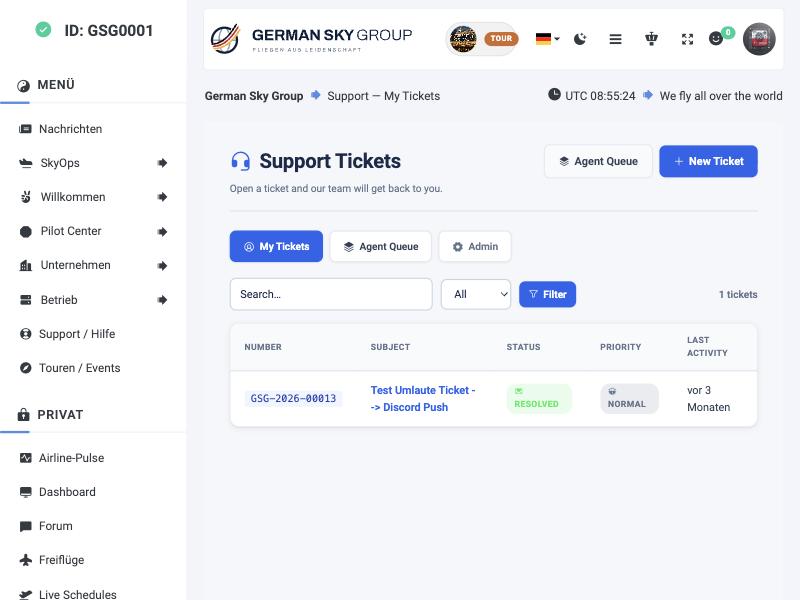
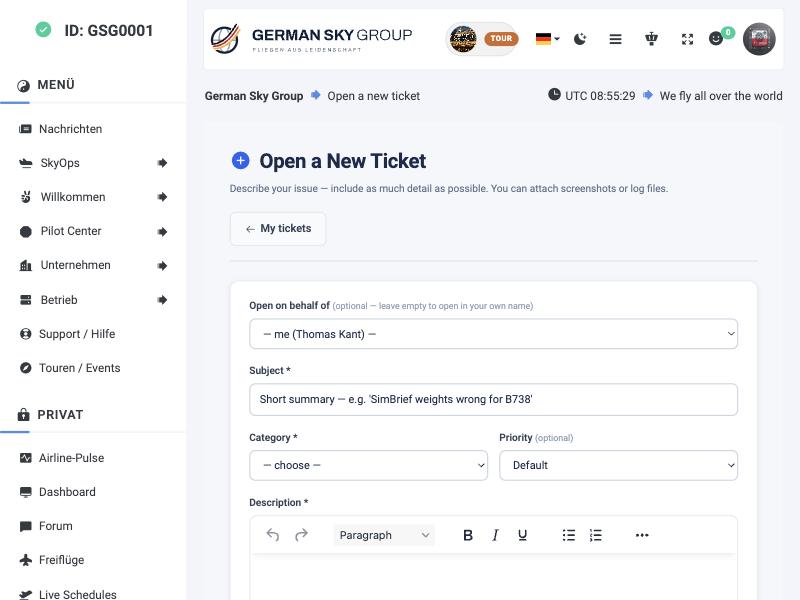
Pilots see their own tickets with number, subject, status, priority and last activity, and can search and filter. A new ticket asks for a short summary, a category and a priority and offers a rich-text editor. Staff can open a ticket on behalf of another pilot.
Piloten sehen ihre eigenen Tickets mit Nummer, Betreff, Status, Priorität und letzter Aktivität und können suchen und filtern. Ein neues Ticket fragt nach einer Kurzfassung, einer Kategorie und einer Priorität und bietet einen Editor mit Formatierung. Der Staff kann ein Ticket im Namen eines anderen Piloten eröffnen.
The admin area
Der Admin-Bereich
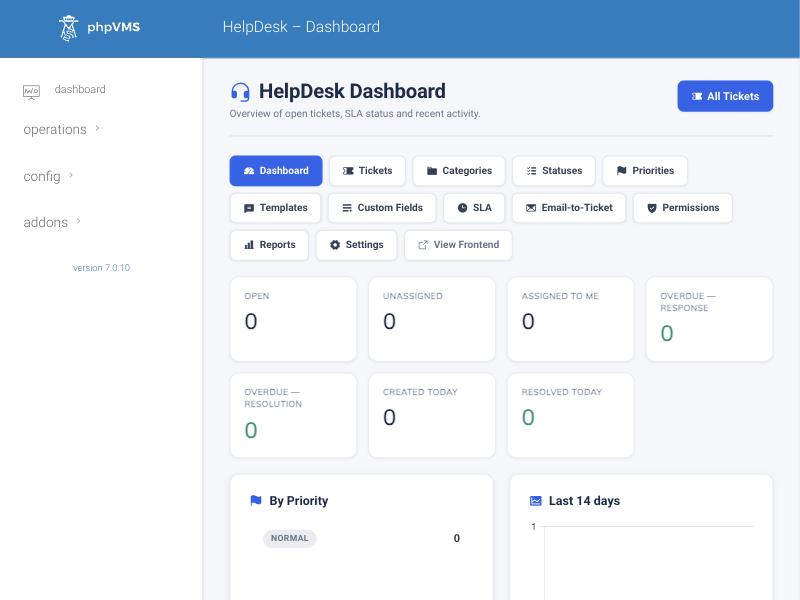
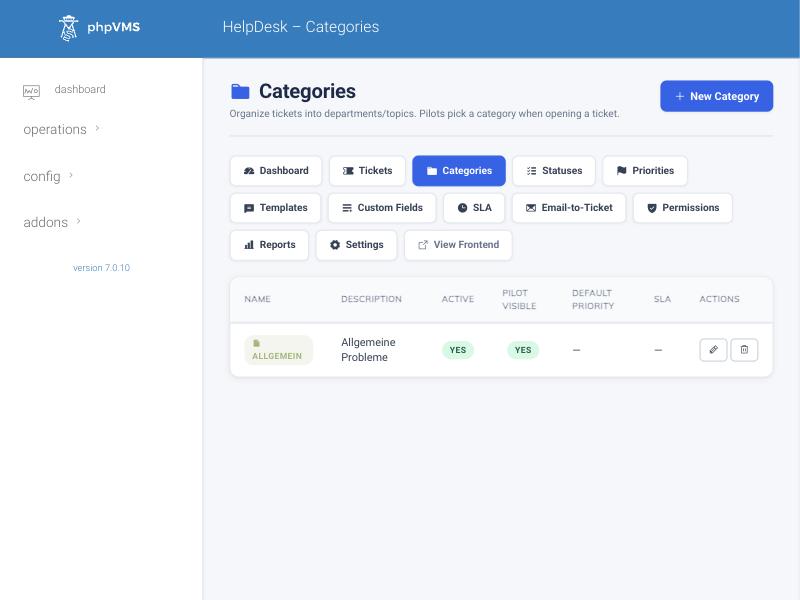
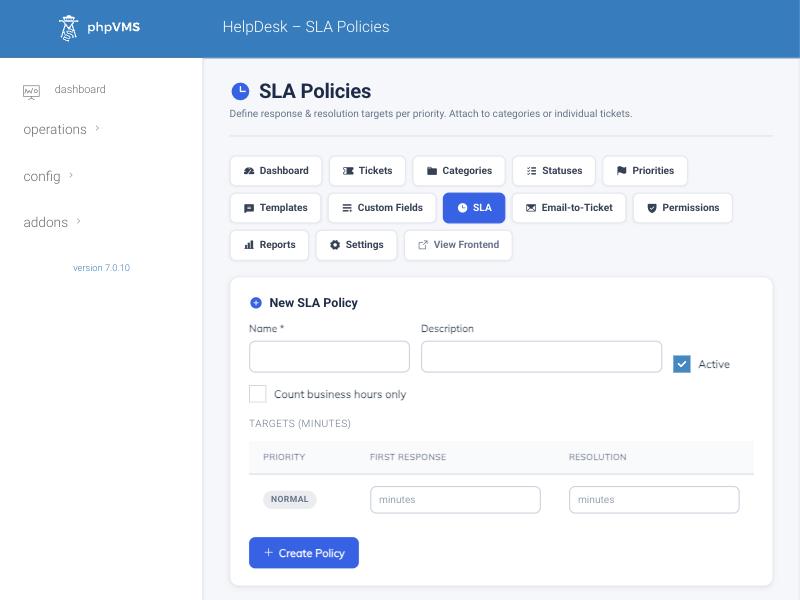
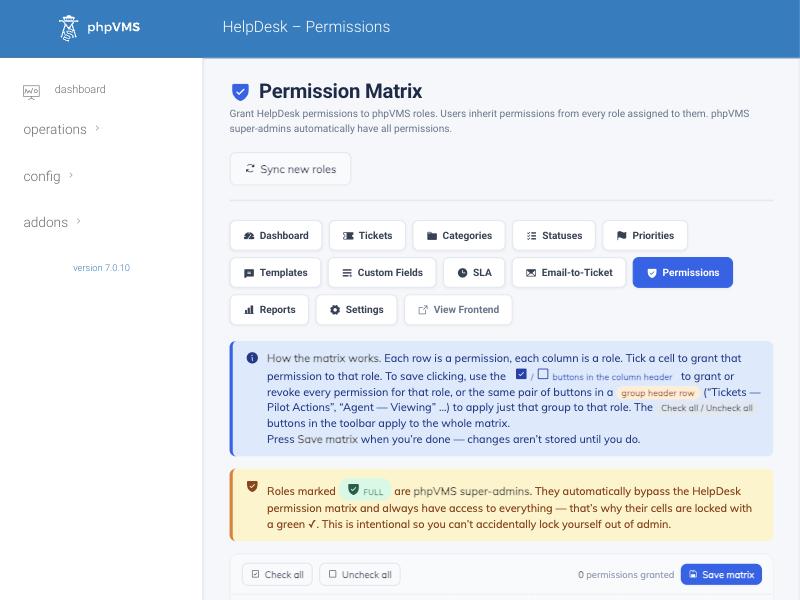
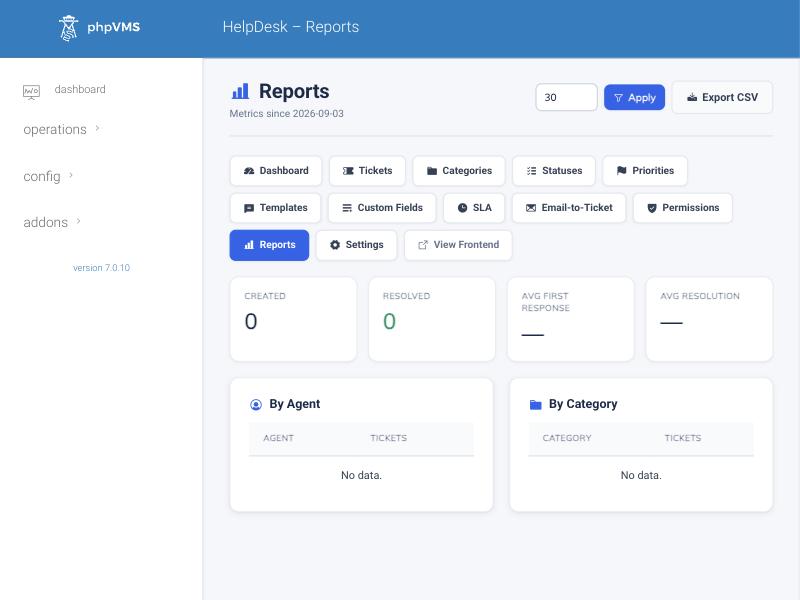
One menu leads to all areas: dashboard, tickets, categories, statuses, priorities, templates (canned replies), custom fields, SLA, email-to-ticket, permissions, reports and settings. Everything that pilots see, such as categories, statuses and priorities, you can name, colour and symbol yourself.
Ein Menü führt zu allen Bereichen: Dashboard, Tickets, Kategorien, Status, Prioritäten, Vorlagen (Textbausteine), eigene Felder, SLA, E-Mail-zu-Ticket, Rechte, Reports und Einstellungen. Alles, was Piloten sehen, etwa Kategorien, Status und Prioritäten, könnt ihr selbst benennen, einfärben und mit Symbolen versehen.
Requirements and installation
Voraussetzungen und Installation
| Topic | Details |
|---|---|
| Requirements | phpVMS 7, PHP 8.1 or newer. Optional: webklex/laravel-imap for email-to-ticket, TinyMCE for the editor (falls back to a plain text field). |
| Install | Upload the folder HelpDesk/ to modules/HelpDesk/, enable the module in admin, then run php artisan helpdesk:install. |
| Email to ticket | An IMAP fetcher turns incoming mails into tickets or replies, matches the sender to a pilot by email address and keeps attachments. |
| Thema | Details |
|---|---|
| Voraussetzungen | phpVMS 7, PHP 8.1 oder neuer. Optional: webklex/laravel-imap für E-Mail-zu-Ticket, TinyMCE für den Editor (sonst ein einfaches Textfeld). |
| Installation | Den Ordner HelpDesk/ nach modules/HelpDesk/ hochladen, das Modul im Admin aktivieren, dann php artisan helpdesk:install ausführen. |
| E-Mail zu Ticket | Ein IMAP-Abruf macht aus eingehenden Mails Tickets oder Antworten, ordnet den Absender per E-Mail-Adresse einem Piloten zu und behält Anhänge. |
Getting this module
So bekommst du dieses Modul
This module is available against a donation. There is no fixed price. The way is the same for every donation module:
Dieses Modul gibt es gegen eine Spende. Es gibt keinen festen Preis. Der Weg ist für alle Spenden-Module derselbe:
- Contact Thomas on DiscordMessage
thomas_kant_38518and tell him which module you want. - Donate via PayPalSend your donation to
cloud@kant.ovh, as PayPal “Friends”. - Add your GitHub user nameWrite your GitHub user name in the payment note, so we can match the payment to you.
- Auf Discord meldenSchreibt Thomas an:
thomas_kant_38518, und sagt ihm, welches Modul ihr wollt. - Per PayPal spendenSchickt eure Spende an
cloud@kant.ovh, als PayPal „Friends“ (Freunde). - GitHub-Benutzernamen angebenSchreibt euren GitHub-Benutzernamen in den Verwendungszweck, damit wir die Zahlung euch zuordnen können.